How to Transfer Files Securely
Standard email provides no encryption for the files you attach. This guide covers password protection, encrypted sharing, and the access controls that keep sensitive business documents protected end to end.
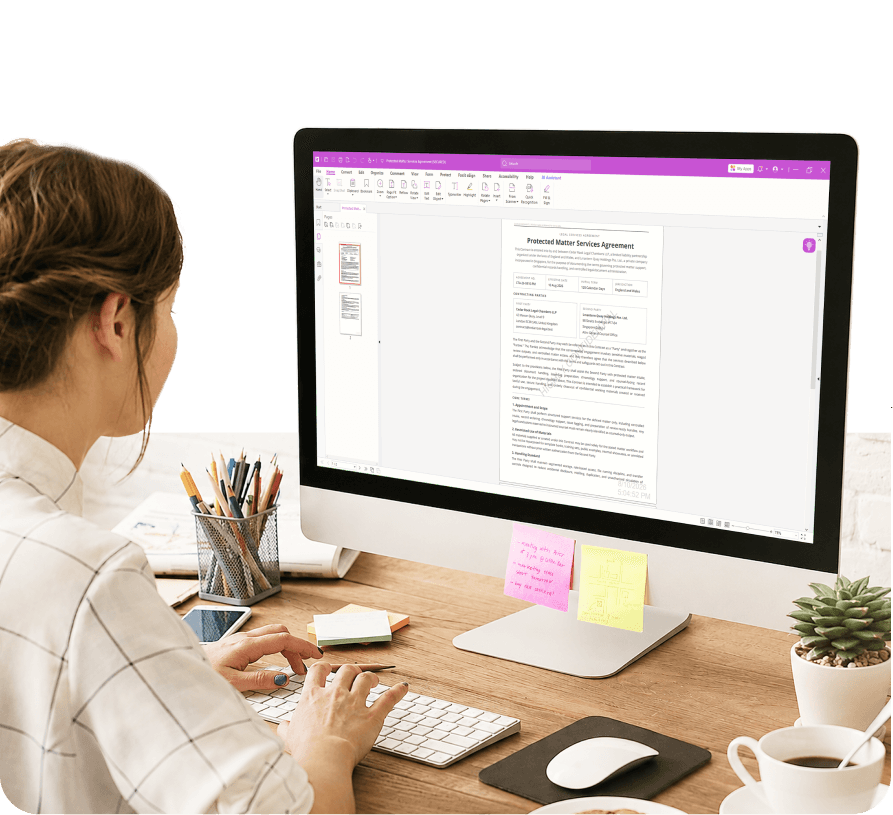
What Is Secure File Transfer?
Encryption, access control, and authentication working together.
Secure file transfer is the process of sending documents and data using encryption, access controls, and authentication to ensure only the intended recipient can open them.
Unlike a standard email attachment — which travels across the internet with no built-in file-level protection — a secure file transfer uses technology to protect the document at rest, in transit, and after delivery.
For businesses, this isn't just best practice, it's a compliance requirement. Regulations including GDPR, HIPAA, and SOC 2 require organizations to demonstrate that sensitive documents are handled with appropriate controls at every step of their journey.
What Makes a File Transfer Actually Secure
Three pillars, and why email attachments don't cover any of them.
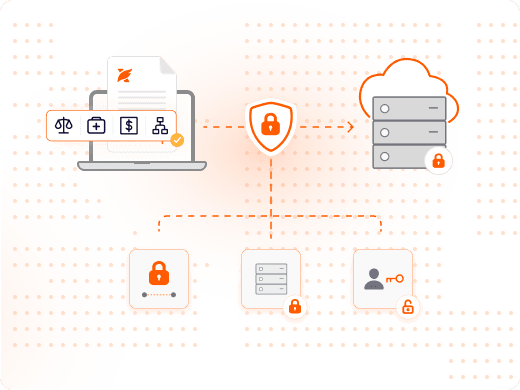
What Are the Three Pillars of Secure File Transfer?
Encryption in transit protects data as it moves between sender and recipient. Encryption at rest protects data once it's stored on a server or device.
Access control defines who can open, edit, or forward the document — and lets you revoke that access later if circumstances change.
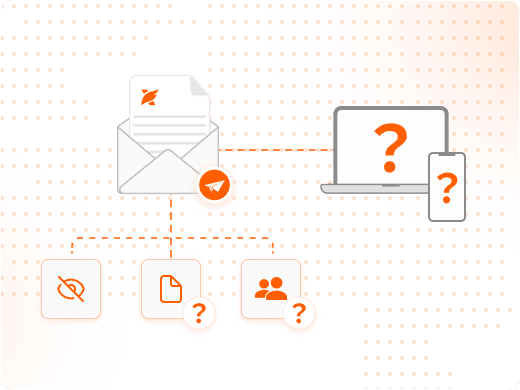
Why Are Email Attachments Not Secure?
When you attach a PDF to an email, you lose control of that document the moment you hit send. The recipient can forward it, save it to an unmanaged device, or share it further — and you'll never know.
Standard email also provides no tracking or audit trail, so you can't demonstrate to an auditor that a sensitive document was only accessed by authorized parties.
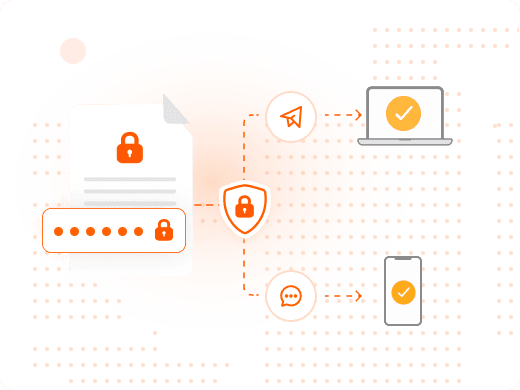
How Do You Password-Protect a PDF Before Sending?
In Foxit PDF Editor, select Protect from the toolbar, then Password. Choose an open password to require credentials before the file opens, or a permissions password to restrict editing and printing.
Always share the password through a separate channel from the file itself — a phone call or text message, never the same email.
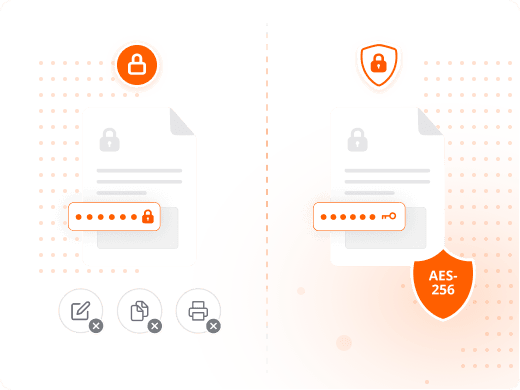
What's the Difference Between an Open Password and a Permissions Password?
An open password requires the correct password before the document opens at all. A permissions password lets anyone open the file but restricts actions like editing, copying, or printing.
For genuinely sensitive documents, use an open password — permissions-only passwords can be stripped by free online tools, while an open password with AES-256 encryption cannot.
Why Secure File Transfer Is a Compliance Requirement, Not Just a Preference
The business case goes well beyond avoiding an awkward email mistake.
Secure file sharing doesn't require a specialist. Using end-to-end encryption, requiring password protection, setting expiration dates, restricting editing and printing, enabling audit logs, and using a secure cloud platform reduce risk for any business team sending sensitive documents.
The result is a compliance gap when you rely on email alone. If an auditor asks you to demonstrate that a sensitive document was only accessed by authorized parties, a forwarded email thread cannot provide that evidence — an audit trail can.
Foxit PDF Editor gives businesses the tools to protect, control, and track sensitive documents at every stage of their journey, whether you're sending a single contract or managing thousands of documents across a distributed workforce.
Comparing Methods for Secure File Transfer
| Feature | Email Attachment | Password-Protected PDF | Encrypted ZIP | Foxit Secure Share |
|---|---|---|---|---|
| Encrypted in transit | No | Yes | Yes | Yes |
| Password protection | No | Yes | Yes | Yes |
| Restrict editing/printing | No | Yes | No | Yes |
| Access revocation | No | No | No | Yes |
| Audit trail & tracking | No | No | No | Yes |
| GDPR/HIPAA aligned | No | No | Partial | Yes |
| No file-size limits | Yes | Partial | Yes | Yes |
Feature
Encrypted in transit
- Email Attachment
- No
- Password-Protected PDF
- Yes
- Encrypted ZIP
- Yes
- Foxit Secure Share
- Yes
Feature
Password protection
- Email Attachment
- No
- Password-Protected PDF
- Yes
- Encrypted ZIP
- Yes
- Foxit Secure Share
- Yes
Feature
Restrict editing/printing
- Email Attachment
- No
- Password-Protected PDF
- Yes
- Encrypted ZIP
- No
- Foxit Secure Share
- Yes
Feature
Access revocation
- Email Attachment
- No
- Password-Protected PDF
- No
- Encrypted ZIP
- No
- Foxit Secure Share
- Yes
Feature
Audit trail & tracking
- Email Attachment
- No
- Password-Protected PDF
- No
- Encrypted ZIP
- No
- Foxit Secure Share
- Yes
Feature
GDPR/HIPAA aligned
- Email Attachment
- No
- Password-Protected PDF
- No
- Encrypted ZIP
- Partial
- Foxit Secure Share
- Yes
Feature
No file-size limits
- Email Attachment
- Yes
- Password-Protected PDF
- Partial
- Encrypted ZIP
- Yes
- Foxit Secure Share
- Yes
Comparison based on standard product capabilities as of May 2026.
What You Can Do with Foxit
Protection, tracking, and signature workflows in one platform.
Password-Protect in Seconds
Apply AES-256 encryption to any PDF with an open or permissions password in a few clicks.
Set Custom Permissions
Restrict editing, printing, and copying so recipients can view content without changing it.
Apply Digital Signatures
Verify document authenticity and detect tampering with digital signatures built into your workflow.
Redact Before Sharing
Permanently remove sensitive information from a document so it cannot be recovered by the recipient.
Send for eSignature with an Audit Trail
Track who signed, when, and from which device with Foxit eSign's complete audit trail.
Track Document Opens
See who accessed a shared document and when with Foxit's document tracking features.
Who Needs Secure File Transfer, and Why
Four functions that routinely handle documents that can't afford to be intercepted.
Secure file sharing is not a niche requirement. These industries and functions routinely handle documents that cannot afford to be intercepted, forwarded without control, or accessed by the wrong party.
- Legal and contracts: Contracts, NDAs, and settlement agreements contain commercially sensitive or legally privileged information. Password-protecting documents before sending, combined with an audit trail confirming receipt, gives legal teams the evidence they need for compliance and dispute resolution.
- Financial reporting: Earnings reports, budget documents, and audit packages are price-sensitive and often subject to securities law. Finance teams need to know exactly who received a document, when they opened it, and whether it was forwarded.
- Healthcare records: Sharing patient data or lab results by email without encryption is a HIPAA violation. Healthcare providers need encrypted file transfer, access logging, and the ability to revoke access if a document is sent in error.
- HR and employee data: Offer letters, performance reviews, and termination documents are among the most sensitive documents a business creates. HR teams handling these files under GDPR must be able to demonstrate that personal data was shared only with authorized parties.