How to Redact a PDF
Every time you share a document, you share everything in it — including information you can't see. Proper redaction permanently deletes sensitive content so no one can ever get it back.
What Is PDF Redaction?
Permanent deletion, not a visual cover-up.
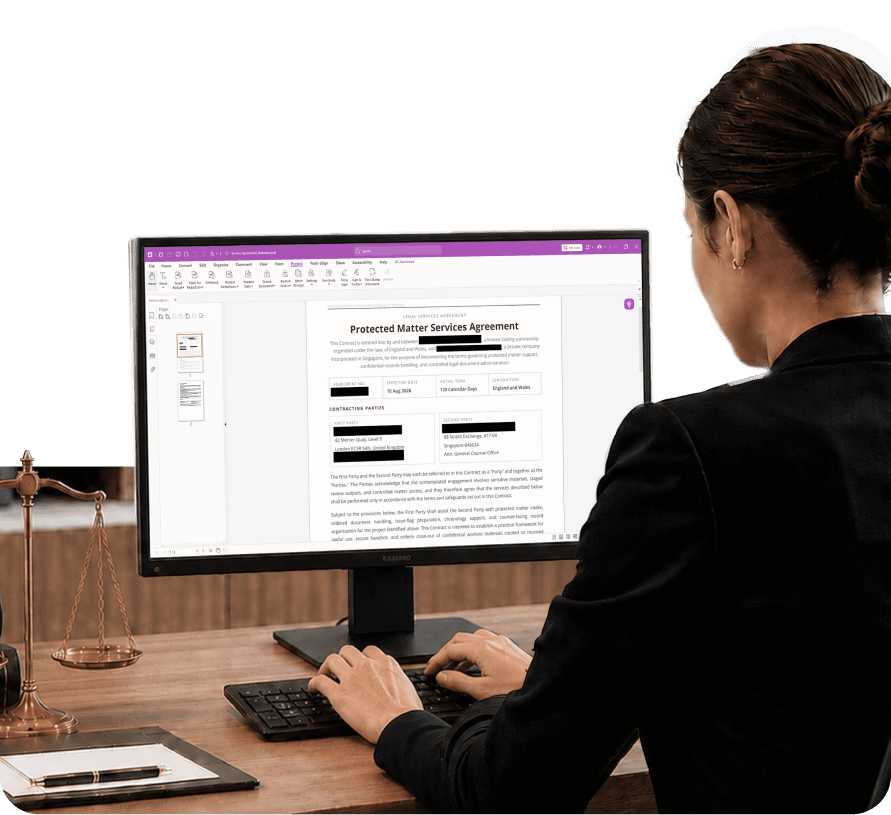
PDF redaction is the process of permanently removing sensitive information from a document file — not just hiding it from view. When true redaction is applied, the underlying content is deleted and cannot be uncovered by removing a shape or adjusting a layer.
Redaction is commonly applied to Social Security numbers, financial account numbers, personal addresses, privileged legal content, protected health information, and proprietary business data.
A dedicated PDF editor with redaction tools gives you the controls to handle this correctly — permanently removing content rather than applying cosmetic workarounds that leave your data exposed.
What Real Redaction Requires
Getting this wrong has caused real data breaches in legal and government contexts.
Why Isn't a Black Box the Same as Redaction?
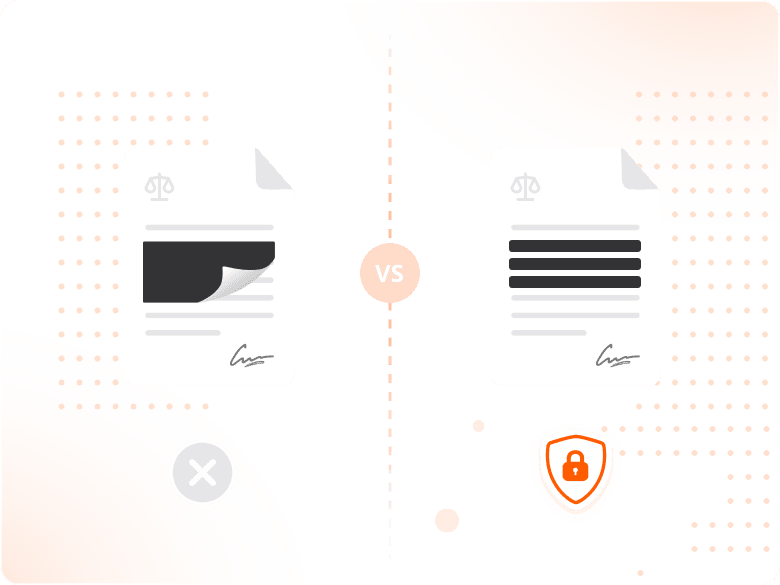
Placing a black rectangle or highlight over sensitive text does not remove the underlying content — anyone with a PDF editor can delete the shape and read what's underneath.
True redaction deletes the content from the document file itself. The black box in a properly redacted PDF isn't covering anything; it's marking where content used to be.
How Do You Apply Redaction Correctly?
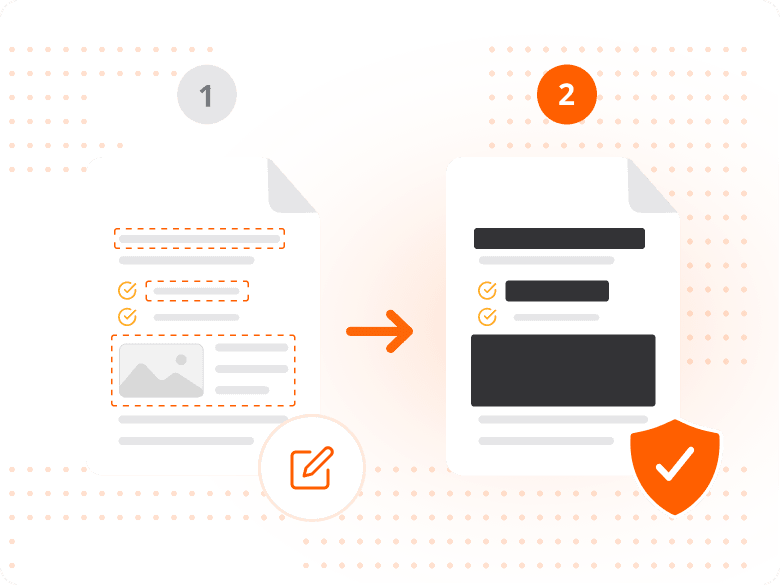
Select the Redact tool and mark every area that needs to be removed — at this stage the original content is still present, and the marks are just selection indicators.
Once all marks are placed, apply the redaction. The software permanently deletes the marked content, replacing it with a solid block with no content underneath.
Why Does Metadata Removal Matter as Much as Visible Redaction?
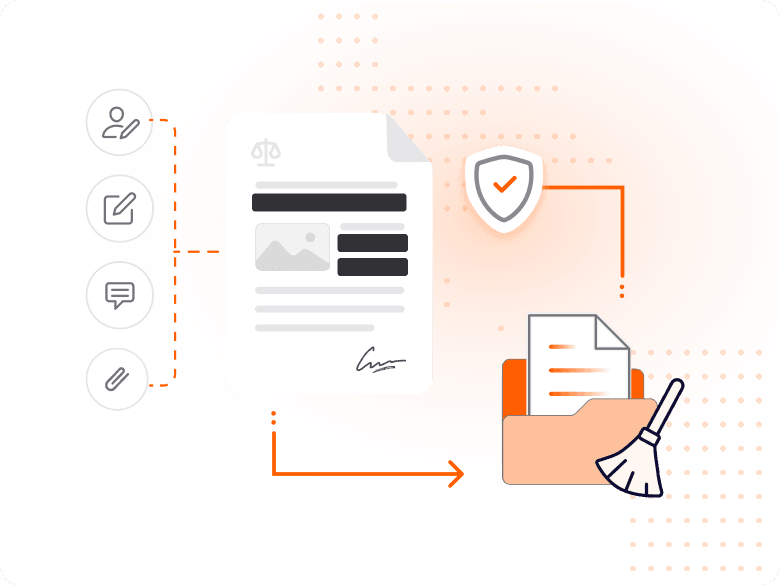
Applying redaction marks handles visible content, but hidden content — author name, edit history, comments, embedded attachments — requires a separate sanitization step.
This step is frequently skipped, and it's where data leaks most often originate — metadata in a supposedly clean document has exposed sensitive information in high-profile legal and government cases.
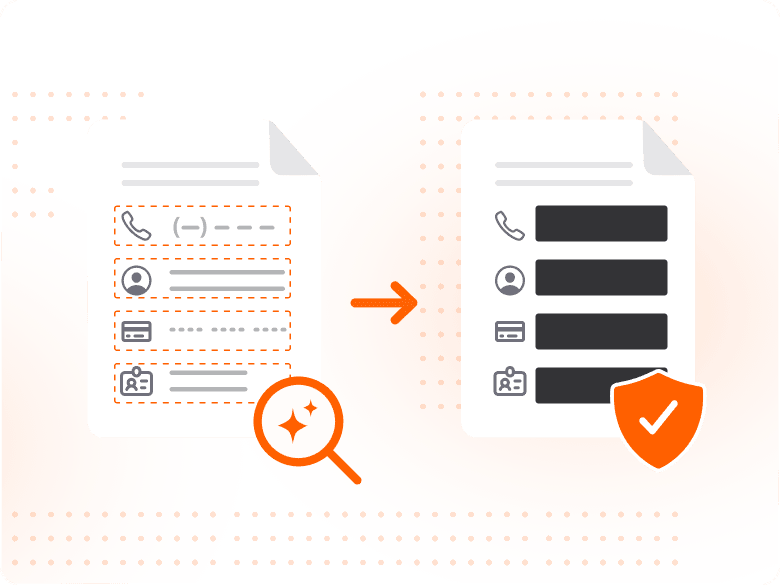
How Does AI Redaction Find Sensitive Data Automatically?
Foxit Smart Redact uses AI to automatically detect sensitive data patterns — phone numbers, account numbers, Social Security numbers, and names — flagging them before a human reviewer opens the file.
For teams processing hundreds or thousands of pages, AI-assisted redaction reduces review time and increases accuracy in ways manual review can't match at scale.
Why Redacting PDFs Matters
The stakes go beyond inconvenience for regulated industries.
Personally identifiable information — ID numbers, addresses, dates of birth — must be protected before documents are shared externally. A black box over a name is not protection; permanent deletion is.
Healthcare organizations must protect PHI under HIPAA, legal teams must comply with court redaction requirements, and financial institutions operate under GDPR and GLBA — redaction is a legal requirement in these environments, not an optional step.
Even documents that look clean can carry sensitive information in metadata, comments, or embedded revision history. A proper redaction workflow removes both visible and hidden data before the file ever leaves your organization.
What You Can Do with Foxit
Manual precision and AI-assisted speed, in one platform.
Permanently Remove Sensitive Text
Apply true redaction that deletes marked content from the file, leaving nothing to recover underneath.
Detect Sensitive Data with AI
Use Foxit Smart Redact to automatically flag phone numbers, account numbers, and PII patterns for review.
Strip Hidden Metadata
Remove author information, revision history, and embedded attachments as part of the same workflow.
Redact Images, Not Just Text
Apply redaction marks to images or image-based text to permanently remove that content too.
Scale Redaction Across Batches
Use Foxit Smart Redact Server to apply AI-powered redaction across high-volume document workflows.
Document Your Redaction Decisions
Maintain a clear record of what was redacted and why, supporting legal and compliance review.
Industries That Rely on PDF Redaction
Redaction is standard practice across any industry that handles sensitive information.
Redaction shows up wherever documents mix content that must be shared with content that must never leave the organization — which describes most regulated industries.
- Legal teams: Court filings, discovery documents, and privileged communications frequently contain personal identifiers and third-party information that must be removed before submission or sharing.
- Healthcare organizations: HIPAA requires healthcare organizations to protect PHI in any document shared outside a covered relationship, including medical records and billing documents.
- Financial services: Banks and financial advisors regularly share documents containing account details and client financial profiles, governed by frameworks including GDPR and GLBA.
- Government and public records: Government agencies review records and FOIA responses for PII and law-enforcement-sensitive content before release.