
Send, Sign, and Store Agreements with More Control.
Prepare PDFs and documents, guide signers, collect legally binding eSignatures, track progress, and manage completed agreements after signing. Every paid plan includes unlimited DMS storage, and Foxit eSign Business includes unlimited envelopes, helping agreement volume grow without surprise storage or sending limits.
Send and Sign Simple Agreements For Free!*
or drop file(s) here
*No Foxit account required to sign an agreement or request a signature with this free tool. Signatures collected using this free tool are not legally binding or compliant with eSigning standards. If you need legally binding or compliant eSignature Software, .
The Signature Is Easy. The Workflow Should Be Too.
Separate tools for payments, storage, templates, PDF and document prep, and higher-volume sending turn a simple signature request into extra work. Foxit eSign brings those steps closer together so agreements move with fewer handoffs, clearer ownership, and less operational drag.
Leave signing to collect payment
Collect payment as agreements are signed
Track down completed agreements
Store signed records in included DMS
Sort through scattered templates
Approved templates stay ready to use
Switch tools to prepare PDFs and documents
PDF and document prep stays connected
Rebuild high-volume sends by hand
Scale sending with bulk workflows
Slow down when envelope limits hit
Scale with unlimited envelopes in Business
Absorb storage costs as volume grows
Unlimited storage stays included and predictable
Move Every Agreement Forward from Start to Finish.
Agreement work moves faster when every step stays connected. Prepare documents, guide signers, support specialized signing needs, and organize completed records without forcing teams through disconnected handoffs.
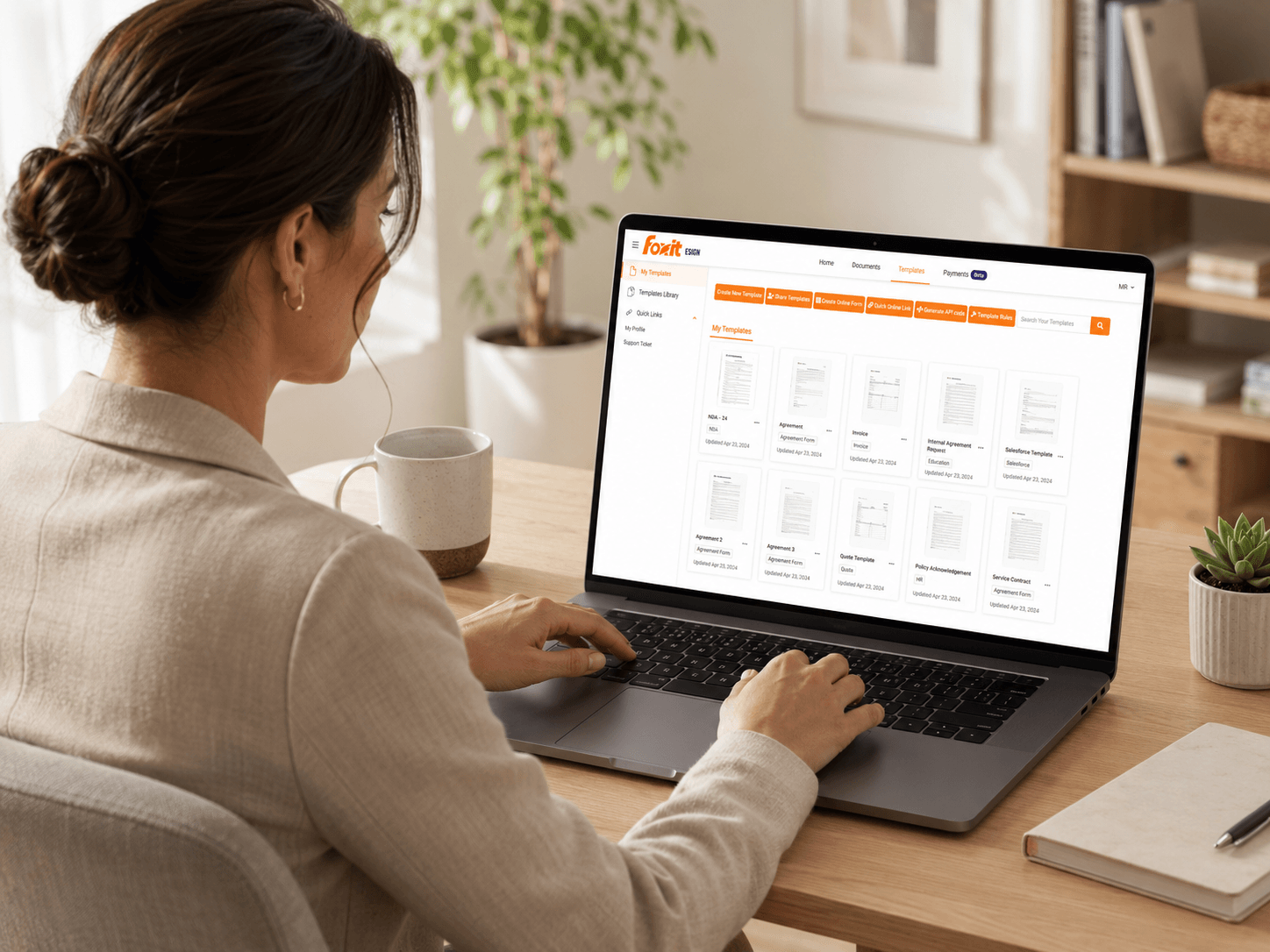
Build once. Send with confidence.
Reusable templates keep common agreements ready to send, reducing one-off setup and version confusion.
- Build templates for everyday agreements
- Approved versions stay easy to access
- Reduce setup and version confusion
Built for Trusted Agreements.
Protect sensitive PDFs and documents, verify signer identity, and keep clear records from send to signature to storage. Built-in audit trails, signature certificates, authentication options, and compliance-supporting controls give important agreements the structure to move forward with confidence.
Control Access Before Signing.
Apply the right level of identity assurance with secure signing links, passcodes, and modern authentication options.
- 2FA, MFA, and KBA for high-trust signing
- SSO for managed enterprise access
- QES support for qualified signatures
- Per-recipient signing controls
Strengthen Regulated Workflows.
Send sensitive agreements with controls and records that align to the frameworks your teams already work within.
- ESIGN, UETA, and eIDAS aligned
- HIPAA, 21 CFR Part 11, and FERPA support
- GDPR, CCPA, FINRA aware controls
- SOC 2 Type 2 attested operations
Real teams. Faster agreement work.
Real users share how Foxit eSign supports faster signing, reusable templates, organized records, secure workflows, and connected PDF and document work.






Extend eSign into the Way Your Business Works.
Start with secure eSigning and included DMS storage, then extend the process with connected Foxit tools and available add-ons when your business needs more. Prepare PDFs and documents, connect systems, automate Salesforce PDF and document work, and bring completed agreements closer to the processes that depend on them.

Foxit DMS
Organize signed agreements after completion.
Completed agreements stay connected to Foxit DMS with unlimited storage included. Make signed records searchable, accessible, and easier to control without sending files into another repository.
- Store completed agreements in Foxit DMS.
- Search and manage signed records faster.
- Make storage predictable as volume grows.

Foxit PDF Editor
Prepare PDFs and documents before they go out for signature.
For deeper PDF and document preparation, Foxit PDF Editor connects powerful PDF creation, editing, organization, and security tools to the signing process. Build cleaner, signature-ready PDFs and documents with fewer re-uploads and less version confusion.
- Edit and organize PDFs before sending.
- Prepare polished, signature-ready PDFs and documents.
- Connect PDF work with eSign workflows.

Connectors
Connect eSign to the systems your teams already use.
Available Connectors extend eSign into business apps, storage platforms, productivity tools, and HR systems. Automate routing, data sync, and completed-file storage with fewer manual handoffs.
- Connect eSign with key business apps.
- Reduce manual PDF and document handoffs.
- Move workflows across systems.

Foxit for Salesforce
Generate, send, and track agreements from Salesforce.
Foxit for Salesforce brings PDF and document generation and eSignature into the CRM workflow. Generate agreements from Salesforce data, send for signature, and keep activity closer to customer records.
- Generate PDFs and documents from Salesforce data.
- Send agreements for eSignature from Salesforce.
- Connect sales PDF and document workflows.
Automate eSignature inside your existing workflows.
When signing belongs inside a portal, product, or internal system, Foxit has API options that connect the steps around it: PDF and document generation, PDF preparation, embedded viewing, routing, status tracking, and completed-document handoff.
PDF and Document Generation and Preparation
Create, prepare, and package PDFs and documents as part of automated agreement workflows.
Embedded Viewing and Signing
Let users review, complete, and sign PDFs and documents inside your applications or portals.
Routing and Status Tracking
Route PDFs and documents to the right people, trigger next steps, and monitor completion.
Storage and System Handoff
Connect completed PDFs and documents back to business systems, repositories, and records.
More Workflow Value. Fewer Surprises.
Many eSignature platforms can collect a signature. Foxit eSign adds value around the signature with payments, templates, bulk workflows, included DMS storage, integrations, and predictable room to scale.

Compare Foxit eSign Plans
Find the plan built for your workflow.
Choose the eSignature plan that fits today's work and is built to scale when more users or higher volume is ready. Foxit eSign Business includes unlimited envelopes, and paid Foxit eSign plans include unlimited DMS storage for predictable growth.

Foxit eSign vs. DocuSign
Compare value beyond the signature.
DocuSign is familiar, but growing workflows can add cost, add-ons, and plan complexity. Compare how Foxit eSign keeps signing, storage, and workflow value more connected.

Foxit eSign vs. Adobe Acrobat Sign
Move faster without legacy complexity.
Adobe Acrobat Sign supports digital signing, but evaluating the full workflow means looking at pricing, storage, document prep, and connected tools. Compare how Foxit eSign delivers secure signing with broader document value.

Foxit eSign vs. PandaDoc
Go beyond proposal workflows.
PandaDoc can fit proposal-centered teams, but many departments need signing, payments, storage, governance, and repeatable workflows beyond sales documents. Compare how Foxit eSign supports agreement work across the business.
Start Signing Now. Scale When You're Ready.
Start with secure eSigning and practical agreement tools, or explore volume pricing for broader access across teams. Foxit eSign gives organizations a predictable way to send, sign, store, and manage more PDFs and documents as needs grow.
Try Foxit eSign for Free.
Send PDFs and documents, collect signatures, and manage completed agreements with a signing experience built for quick adoption.
Need eSign for More Users?
Explore pricing for teams that need broader access, unlimited eSigning in Business, unlimited storage, and scalable agreement workflows across the organization.
Explore Volume PricingFoxit eSign FAQ
Answers for buyers comparing eSignature tools, connected PDF and document workflows, pricing predictability, security, and plan options.
Foxit eSign Essentials and Foxit eSign Business are electronic signature solutions for preparing documents, assigning recipients, collecting legally binding eSignatures, tracking progress, and storing completed agreements. Foxit eSign Essentials supports individual and lower-volume needs, while Foxit eSign Business adds team administration, advanced workflows, integrations, and higher-volume sending.
Prepare: Upload a PDF or supported document file, then add signature, date, text, payment, or attachment fields.
Send: Add one or more recipients, choose sequential or parallel signing order, and send secure links.
Sign: Recipients can review and sign from a browser or mobile device without creating an account or downloading software.
Track and store: Foxit eSign records status updates, reminders, audit events, signature certificates, and completed agreements.
Foxit eSign Essentials and Foxit eSign Business support legally binding electronic signature workflows under the U.S. ESIGN Act and UETA and support eIDAS requirements in the European Union. Foxit eSign audit trails and signature certificates record signer metadata, IP addresses, full event logs, and RFC 3161 timestamps to document the signing process.
Legal enforceability can depend on the document type, jurisdiction, consent process, and identity-verification level. Foxit eSign Business security and compliance options include multi-factor authentication (MFA), Knowledge-Based Authentication (KBA), Qualified Electronic Signatures (QES), SAML single sign-on, HIPAA support, and 21 CFR Part 11 controls.
Foxit eSign Essentials and Foxit eSign Business support electronic signatures and certificate-based digital signatures, while Foxit eSign Business adds Qualified Electronic Signature (QES) workflows through ZealiD. An electronic signature records agreement; a digital signature uses Public Key Infrastructure (PKI) and a digital certificate to authenticate a signer and detect document changes.
| Signature type | Definition |
|---|---|
| Electronic signature | A broad method for recording consent, including typed, drawn, or clicked signatures. |
| Digital signature | A certificate-based signature that uses PKI for identity authentication and tamper detection. |
| QES | The highest-assurance eIDAS signature level, based on qualified identity verification and a qualified certificate. |
Foxit eSign Business combines unlimited envelopes, unlimited reusable templates, unlimited Foxit DMS storage, payment collection, advanced workflows, and connections to Foxit PDF Editor in one eSignature platform. Foxit eSign Essentials gives individual and lower-volume users 250 envelopes and 10 reusable templates per year, creating a clear alternative to broader enterprise or proposal-centered platforms.
| Platform | Typical evaluation focus |
|---|---|
| Foxit eSign | Connected PDF preparation, eSigning, payments, storage, and workflow automation. |
| DocuSign | Enterprise agreement management and a broad agreement ecosystem. |
| Adobe Acrobat Sign | Electronic signature workflows within the Adobe document ecosystem. |
| PandaDoc | Proposal, quote, and sales-document workflows. |
Review the Foxit eSign competitor comparison for plan-level evaluation.
Foxit eSign Essentials is designed for individuals and lower-volume signing, with 250 envelopes and 10 reusable templates per year. Foxit eSign Business is designed for growing teams, with unlimited envelopes, unlimited templates, user management, bulk sending, signable web forms, advanced authentication, and broader integration options.
| Capability | Foxit eSign Essentials | Foxit eSign Business |
|---|---|---|
| Best fit | Individual or lower-volume signing | Team and high-volume workflows |
| Advanced workflows | Core sending, tracking, and payments | Bulk sending, bulk signing, web forms, advanced fields, and signing order |
| Administration | Core account controls | User management, SAML SSO, MFA, KBA, and QES |
| Storage | Unlimited Foxit DMS storage | Unlimited Foxit DMS storage |
Use the Foxit eSign pricing page to compare current packaging.