 Document Translator
 PDF Summarizer
 Chat with PDF
 Risk Analysis
 Fraud Detection
 Analyze Document
 Contract Review
 Extract Information

Drag PDF file here (max 100MB)
or

By using this service, you agree Foxit's Terms of Service and Privacy Policy.


How to Add Page Numbers to a PDF Online
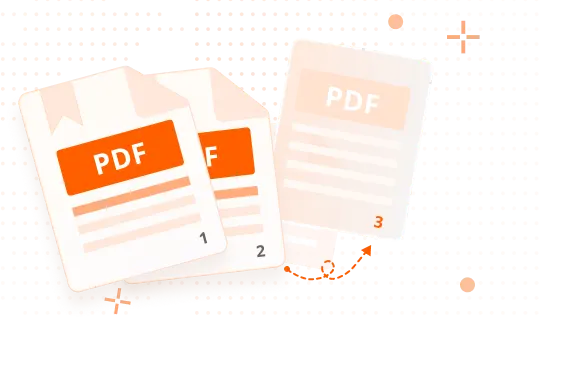
What Makes Foxit the Best Online Add Page Numbers to PDF Tool

Add Page Numbers for Clear Organization
Foxit’s Add Page Numbers to PDF tool makes it easy to number pages and keep documents organized. Adding page numbers helps readers navigate PDFs more easily and ensures pages stay in the correct order.

Customize Page Number Placement
Add page numbers to a PDF online and choose where they appear on each page. Foxit’s tool allows you to place page numbers consistently throughout your document, helping create a clean, professional layout.

Safe and Secure
After page numbers are added, Foxit automatically deletes both the original and updated files, helping ensure your documents and information remain protected.
Add Page Numbers to PDF for Free on Your Desktop for 14 Days.
High Quality Add Page Numbers to PDF Tool + MORE



Top Use Cases for our Add Page Numbers to PDF Tool
- Improve readability in reports, manuals, and guides
- Help readers reference specific sections
- Reduce confusion in long PDFs
- Speed up review cycles
- Improve clarity during audits and approvals
- Reduce back‑and‑forth over page references
- Prevent misplaced or reordered pages
- Improve usability for proposals, contracts, and training materials
- Create print‑ready PDFs with clear structure
- Finalize client‑facing documents
- Meet formatting standards for legal and academic files
- Deliver PDFs that look complete and well organized
Frequently Asked Questions on our Add Page Numbers to PDF Tool
Related Articles You May Find Helpful

Try the Best Free PDF Online Tools

PDF to Word

JPG to PDF

Word to PDF

PDF to JPG

PDF to Excel

Excel to PDF

PNG to PDF

PPT to PDF

PDF to PNG

PDF to PPT

HTML to PDF

Text to PDF

TIFF to PDF

PDF to Text

OCR PDF

RTF to PDF

PDF to TIFF

PDF to HTML

BMP to PDF

GIF to PDF

PDF to BMP

Merge PDF

Compress PDF

Split PDF

Delete Pages from PDF

Crop PDF

Rotate PDF

Extract PDF Pages

Add Pages to PDF

Rearrange PDF

Add Page Numbers to PDF

Unlock PDF

Password Protect PDF

Request Signature

Chat with PDF

Translate PDF

German to English

English to Arabic

French to English

Multi-languages to English

Multi-languages to Spanish
Trusted by Professionals Worldwide













See How Foxit Stacks Up
Redefining your PDF experience with speed and innovation.