FOXIT AI

Translate PDFs to English

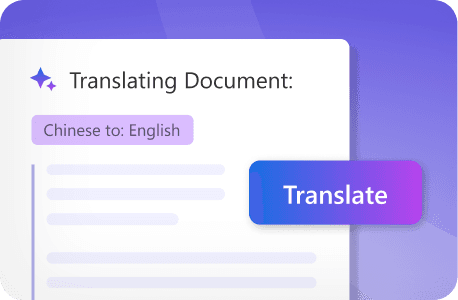
Drop in a PDF in any language and get an accurate English translation in seconds — Foxit detects the source language automatically so you can go straight from upload to translated output.
Foxit's AI-powered document translator handles PDFs in dozens of languages, converting them to English while preserving every element of the original formatting, layout, and structure. Whether you're working with a German engineering specification, a Japanese regulatory submission, a French legal contract, or a document in a language you can't identify, Foxit handles it in one workflow. No copy-pasting into separate tools. No reformatting afterward. Just upload, translate, and go.
Try Foxit AI Without a File
pdf-upload-icon
Upload up to 10 files: PDF only (max 25MB and 120 pages each)
or drop file(s) here
Try Foxit AI Without a File

Trusted by 700+ Million Users Globally

AmazonGoogleMicrosoftDellLenovoIntelNasdaqJP Morgan Chase

How to Translate a PDF to English

Translate your PDF documents to English in four steps — no extra tools or formatting cleanup required.
1
Upload your document - Drag and drop your PDF into the upload area above, or click Select Files to browse your computer. Foxit supports PDFs in any language.
2
Access the document translator - Go to the document preview pane in the middle and find the Translate icon at the top of the pane.
3
Select your translation settings - Click the down arrow next to the Translate icon and choose English as your target language.Foxit automatically identifies the source language — including mixed-language documents.
4
Translate and review - Click the Translate icon to start translation. Foxit's AI translates your content into English while preserving the original formatting, images, and layout. For documents with complex scripts or right-to-left source languages, layout adaptation is handled automatically. Review the side-by-side comparison, then download it locally or open it in Foxit PDF Editor Cloud to continue editing.

Who Benefits from Translating PDFs to English?
From international contracts to academic research, teams across industries use Foxit to translate PDF documents to English without leaving their document workflow.

Global Contract Management

Legal teams working across borders encounter contracts and agreements in dozens of languages. Foxit lets you translate legal documents to English while preserving the precise formatting required for review, negotiation, and court filings — so nothing gets lost in high-stakes business dealings.

Financial & Investment Analysis

Investment firms reviewing foreign market opportunities need to work through financial reports, prospectuses, and regulatory filings in multiple languages. Foxit translates these documents to English while keeping tables, charts, and financial formatting intact for accurate analysis.

Legal & Regulatory Compliance

Companies operating internationally navigate complex regulatory requirements across jurisdictions. Compliance teams use Foxit to translate safety manuals, policies, and regulatory documents to English — ensuring consistent understanding across global operations.

Academic & Research Institutions

Universities and research teams collaborating with international partners need to translate academic papers, findings, and technical documentation. Foxit preserves complex formatting, charts, and scientific notation so researchers can focus on the work, not the layout.

Technical Documentation

Engineering and technology companies regularly receive specifications, user manuals, and product documentation in foreign languages. Foxit translates these materials to English while keeping all critical formatting technically accurate and intact.

International Market Research

Market research teams analyzing foreign data can translate reports, surveys, and industry studies to English instantly. Faster competitive research means faster decisions when expanding into new markets.

Why Use Foxit AI to Translate PDFs to English?
When you're working across languages — and you don't always know which one is coming next — you need a translation tool that handles the full range without setup friction. Foxit does that.

Accuracy Built for Professional Document Contexts
General-purpose translation tools are optimized for short-form content. Foxit is built for documents — legal contracts, financial reports, regulatory submissions, technical manuals — where a mistranslated clause or a misread table has real consequences. The AI understands document structure and domain-specific terminology, not just individual sentences.
Scanned Documents Translate with Ease
Many foreign-language documents arrive as scanned image PDFs — particularly older contracts, official certifications, and records from international partners. Use Foxit's online OCR PDF tool to extract text from scanned PDF documents first, and then translate it without manual text entry.
Formatting Preserved Across Any Source Language
Whether the source document uses left-to-right, right-to-left, or vertical text layout, Foxit preserves the original structure — images, tables, headers, columns — and adapts the output for natural English reading. No manual reformatting required, regardless of the source language.
Every Document is Secured
Documents arriving in foreign languages are often the most sensitive ones — international contracts, cross-border compliance filings, confidential research. Foxit's AI-powered document translator is secure and processes documents with encrypted handling, without storing or training on user files. Uploaded content is temporarily cached for performance and then permanently deleted, ensuring confidentiality for sensitive or regulated documents.

Ready to translate your documents?

PDF to English Translation FAQ

Upload your PDF, go to the document preview pane, and click the down arrow near the Translate icon at the top of the pane. Choose English as the output language and click the Translate icon. The translated content appears side by side with the original, preserving formatting and layout. You can then download the translated version locally or open it in Foxit PDF Editor Cloud.
Foxit's AI translator supports a wide range of source languages and automatically detects the original language in most cases. This makes it a single tool for translating documents from French, German, Spanish, Arabic, Chinese, Japanese, and many other languages into English.
Yes. Foxit preserves the original formatting, layout, images, tables, and visual elements during translation. Your translated English document maintains the same professional appearance as the original — no manual reformatting needed.
Foxit's OCR feature converts scanned documents and image-based PDFs into editable, selectable text. Use Foxit's online OCR PDF tool first, then apply translation through the AI-powered document translator — no separate tools required.
Foxit's AI translation delivers strong results for general business documents, internal communications, and standard content by understanding context and industry-specific terminology. For high-stakes materials like legal contracts or certified financial records, we recommend using Foxit's translation as a starting draft and having a qualified translator review the output. Foxit's online editing tools make it easy to refine the translated content in the PDF.
Foxit's AI-powered document translator supports PDF files.
Yes. Foxit's AI-powered document translator is secure and processes documents with encrypted handling, without storing or training on user files. Uploaded content is temporarily cached for performance and then permanently deleted, ensuring confidentiality for sensitive or regulated documents.
Most documents are translated in seconds. Speed depends on document length and complexity, but Foxit's AI engine processes content in real time so you're not waiting around for results.
Foxit offers free credits to get started. For regular use, monthly subscription plans provide access to translation features and other AI-powered document tools. Visit foxit.com for current pricing details.
General-purpose translation tools work on raw text — you'd have to copy content out of your PDF, translate it separately, and paste it back in, losing all formatting in the process. Foxit translates directly inside the PDF, preserving layout, images, tables, and structure. It's a document workflow tool, not just a text translator.

Do More of What Matters with Foxit AI

  • Get 20 free credits per month (Upgrade to our paid version for 2000 monthly credits to use with all Foxit AI services).
  • Summarize, translate, and chat with multiple documents at once.
  • ai.foxit.com is a standalone, web-based AI platform for PDFs—no editor required.