Edit any PDF, including scanned forms
Create, edit, convert, and organize PDFs on Windows, Mac, mobile, and web. OCR turns scanned forms and reports into searchable, editable documents.
Foxit for Nonprofits
Eligible nonprofits, charities, and libraries can access discounted Foxit PDF editing, eSign, and document tools through TechSoup, with savings of up to 68%.
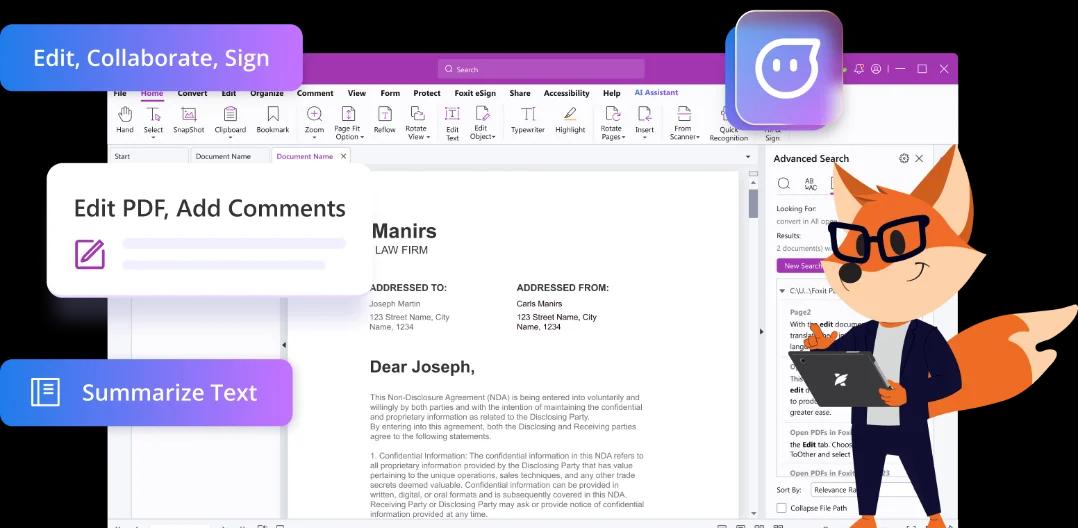
Edit, sign, protect, and organize the documents your staff and volunteers rely on every day.
Create, edit, convert, and organize PDFs on Windows, Mac, mobile, and web. OCR turns scanned forms and reports into searchable, editable documents.
Send grant agreements, volunteer waivers, and board resolutions with Foxit eSign. Signers can respond on any device, and your team can track each request.
Use protection and redaction tools to control personal details before documents are shared outside your organization.
Save documents in shared folders, control access, and search stored files so staff and volunteers can work from the same source.
Field teams can scan, edit, and sign documents from a phone or tablet with Foxit mobile apps.
Eligible nonprofits, charities, and libraries can access discounted Foxit offers through TechSoup.
Foxit partners with TechSoup to make professional document tools more affordable for eligible mission-driven organizations.
Foxit for Nonprofits
For eligible nonprofits, charities, and public libraries. The reference offer allows up to five of each Foxit product per fiscal year.
Nonprofit rate from
Up to 68% off
A TechSoup administrative fee may apply. Pricing, eligibility, and quantities are administered by TechSoup.
Bring recurring nonprofit document work into clearer, more consistent digital processes.
Fill, assemble, and submit polished grant packets by combining forms, budgets, and attachments into one PDF.
Organize donor documents and remove personal information before files are shared with partners or stakeholders.
Send waivers and onboarding forms for electronic signature, then track who has completed each request.
Build professional impact reports and board packets, then share them securely with stakeholders and funders.
Review Foxit’s security practices, privacy policies, and product-specific compliance information for the products and deployment your organization is considering.
Visit the Foxit Trust CenterCertifications and compliance coverage vary by product and deployment.
Create a TechSoup account and provide the organization details requested for eligibility verification.
Find Foxit in the TechSoup catalog, choose the available offer that fits your team, and submit your request.
Use the activation details you receive to start rolling Foxit out across your eligible team.
Eligibility, pricing, and product quantities are set and administered by TechSoup and may vary. Review the current Foxit for Nonprofits offer details before submitting your request.