Compare Revisions Before Approval
Use Foxit PDF Editor+ to compare PDF versions and annotate proposed changes, keeping review focused on the text that needs attention.
PDF and agreement software for law firms and in-house legal teams.
Organize case files, remove sensitive information before sharing, and keep contracts moving through review and signature. Choose Foxit tools for the document work your team handles every day.

Trusted by Legal Teams




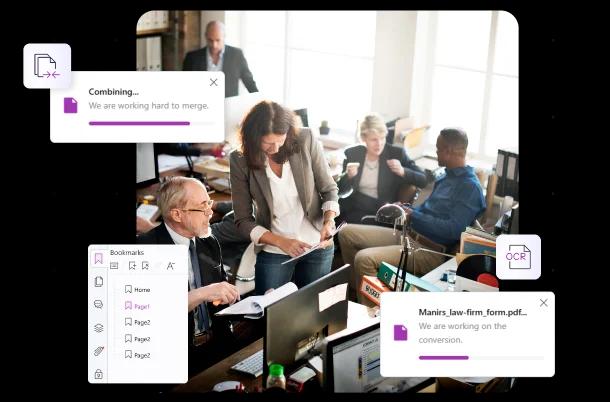
Scanned records, pleadings, and exhibits arrive in different formats. Foxit PDF Editor+ brings case materials into organized PDFs with searchable text, bookmarks, and Bates numbering, so attorneys and paralegals can locate and reference the pages under review.

Disclosure preparation needs more than a black box drawn over text. Foxit PDF Editor+ provides permanent redaction, with Smart Redact to help identify sensitive information. Legal reviewers decide what to withhold and check the resulting file before release.
Start with the work your legal team needs to complete.

For attorneys and paralegals preparing case files: edit and organize PDFs, compare revisions, apply Bates numbering, and redact sensitive content.
Learn MoreFor legal teams handling large document batches: apply AI-assisted redaction across multiple files using reusable redaction profiles. Requires an active PDF Editor+ subscription at purchase.
Learn More
For reviewing multiple source documents: generate insights across a matter's files, create review summaries or reports, and switch AI models within the same project.
Learn MorePDF Editor+ includes eSign Essentials and access to Workspace. Consider eSign Business when you need its additional signing capabilities.
Check the requirements that matter before rollout.
Use Foxit PDF Editor+ to compare PDF versions and annotate proposed changes, keeping review focused on the text that needs attention.
Use Foxit Workspace to analyze selected documents and prepare draft outputs. Verify citations and conclusions against the source files before relying on the results.
Evaluate the available Foxit connections for your document environment and test the required versions, permissions, and deployment with your IT team.
Use PDF/A where your archive requires that format. Check court filing rules and retention policies separately; a file format alone does not determine admissibility.
Evaluate Foxit’s security practices, privacy policies, and product-specific compliance information in the Foxit Trust Center. Review the documentation for your selected products and deployment to support your organization’s requirements.
Visit the Foxit Trust CenterWith Foxit, we can sequentially number documents using Bates numbering within subfolders. It arguably saves us two days of work per bundle.
Sean B
Meredith McConnel Law Firm
Foxit integrates seamlessly with my other systems and has been quite easy to navigate. My staff loves Foxit much better than Adobe.
Phyllis
Attorney
Foxit PDF Editor was cost-effective, but more importantly, it met or exceeded all of our [law firm’s] needs.
Samantha G
Paralegal, The Simons Firm
Put Foxit to Work on Your Legal Documents
Explore PDF Editor+ for everyday document work, or discuss a broader legal workflow with Foxit.