Introducing Workspace
The AI app that turns documents into insights and deliverables.
FOXIT AI

Translate PDFs to Spanish

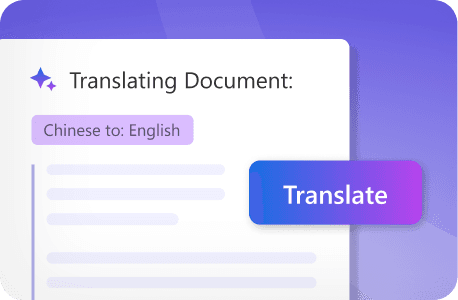
Drop in a PDF and get an accurate Spanish translation in seconds — ready for Latin America, Spain, or the U.S. Hispanic market.
Foxit's AI-powered document translator converts PDFs to Spanish while preserving formatting, layout, and structure. Spanish is the second most spoken language in the world and the primary language of 20 countries across four continents — which means translating to Spanish isn't a niche need, it's a core business requirement for companies operating at scale. No copy-pasting into separate tools. No reformatting afterward. Just upload, translate, and go.
Try Foxit AI Without a File
pdf-upload-icon
Upload up to 100 files: PDF only (max 100MB and 2000 pages each)
or drop file(s) here
Try Foxit AI Without a File

Trusted by 700+ Million Users Globally

AmazonGoogleMicrosoftDellLenovoIntelNasdaqJP Morgan Chase

How to Translate a PDF to Spanish

Translate your PDF documents to Spanish in three steps — no extra tools or formatting cleanup required.
1
Upload your document - Drag and drop your PDF into the upload area above, or click Select Files to browse your computer.
2
Let AI scan and translate - Foxit AI will process the file, and translate it automatically.
3
Download your file - Hover your mouse over the translated file in the "Artifacts" list, click the "More Options" button (three-dot icon), and select "Download" or "Export as" to download or export it in your preferred format.

Who Benefits from Translating PDFs to Spanish?
From contract reviews to patient forms, teams across industries use Foxit to translate PDF documents to Spanish without leaving their document workflow.

Legal & Compliance Teams

Translate contracts, agreements, and regulatory documents to Spanish so Spanish-speaking clients and partners fully understand legal obligations and requirements — without risking misinterpretation from manual copy-paste workflows.

Financial Services

Translate financial statements, audit reports, and transaction documentation to Spanish. Give Spanish-speaking accounting teams and stakeholders full access to the information they need to make decisions.

Healthcare & Pharmaceutical

Translate patient information, medical procedures, and safety protocols into Spanish to improve patient care and make sure vital health details are accessible to Spanish-speaking communities — with translations that preserve the structure and accuracy of medical documentation.

Academic & Research Institutions

Translate course materials, certification documents, and instructional guides to Spanish, making learning resources accessible to Spanish-speaking students and professionals across educational institutions and training programs.

Technical Documentation

Translate user manuals, installation guides, and technical specifications to Spanish. Help Spanish-speaking customers use products correctly and reduce support inquiries tied to language gaps.

International Expansion

Convert product documentation, marketing materials, and compliance documents to Spanish as you expand into Spanish-speaking markets. Keep your brand consistent across languages while accelerating market entry across Latin America, Spain, and the U.S. Hispanic market.

Why Use Foxit AI to Translate PDFs to Spanish?
Spanish isn't one market — it's twenty. Foxit is built to handle the range of Spanish professional contexts, from legal correspondence in Madrid to regulatory submissions in Mexico City to patient care documentation for U.S. Hispanic communities.

Spanish That Reads Like Spanish
Spanish varies meaningfully across regions — in legal terminology, business vocabulary, and formal register. Foxit's AI produces Spanish output that reads naturally in professional contexts, rather than defaulting to a flat, neutral translation that feels off to native speakers in your target market.
Formatting Preserved Across Complex Document Types
Spanish-language business and legal documents follow specific formatting conventions — numbered legal clauses, structured financial tables, multi-column regulatory layouts. Foxit preserves every structural element from the source document so your Spanish version is ready for distribution, filing, or review without a layout rebuild.
Scanned Documents Translate with Ease
Many documents requiring Spanish translation — particularly those from Latin American partners, U.S. government agencies, or older archival records — arrive as scanned image PDFs. Use Foxit's online OCR PDF tool to extract text from scanned PDF documents first, and then translate it without manual text entry.
Every Document is Secured
Whether you're translating patient records for a Spanish-speaking community health center or compliance documents for a Latin American market entry, your files contain sensitive information. Foxit's AI-powered document translator is secure and processes documents with encrypted handling, without storing or training on user files. Uploaded content is temporarily cached for performance and then permanently deleted, ensuring confidentiality for sensitive or regulated documents.

Ready to translate your documents?

PDF to Spanish Translation FAQ

Yes. Foxit preserves the original formatting during translation, including fonts, layouts, images, tables, and graphics. Your translated Spanish PDF maintains the same professional appearance as the source document — no manual reformatting needed.
Foxit's AI translation delivers strong results for general business documents, internal communications, and standard content by understanding context and industry-specific terminology. For high-stakes materials like legal contracts or certified medical records, we recommend using Foxit's translation as a starting draft and having a qualified translator review the output. Foxit's online editing tools make it easy to refine the translated content in the PDF.
Foxit's OCR feature converts scanned documents and image-based PDFs into editable, selectable text. Use Foxit's online OCR PDF tool first, then apply translation through the AI-powered document translator — no separate tools required.
After translating your PDF to Spanish, you can use Foxit’s online editing tool to adjust the translated Spanish text in the PDF. Modify fonts, sizes, spacing, and alignment until the document meets your standards.
Yes! Foxit's document translator supports batch translation of up to 100 files at a time. You can upload multiple PDF documents, and each document will be processed individually.
Foxit offers free credits to get started, with the option to upgrade for additional monthly credits across all Foxit AI services.
Foxit's AI-powered document translator supports PDFs up to a maximum of 100 MB and 2000 pages each.
Yes. Foxit's AI-powered document translator is secure and processes documents with encrypted handling, without storing or training on user files. Uploaded content is temporarily cached for performance and then permanently deleted, ensuring confidentiality for sensitive or regulated documents.
Yes. Foxit's mobile apps for iOS and Android support PDF translation features, so you can translate documents to Spanish from your phone or tablet — useful for remote work or when you're traveling.
General-purpose translation tools work on raw text — you'd have to copy content out of your PDF, translate it separately, and paste it back in, losing all formatting in the process. Foxit translates directly inside the PDF, preserving layout, images, tables, and structure. It's a document workflow tool, not just a text translator.

Do More of What Matters with Foxit AI

  • Get 300 free credits per month (Upgrade to our paid version for 2000 monthly credits to use with all Foxit AI services).
  • Summarize, translate, and chat with multiple documents at once.
  • Foxit Workspace is a standalone AI platform—no editor required.