 Chat with PDF
 PDF Summarizer
 Document Translator
 Analyze Document
 Extract Information
 Risk Analysis
 Contract Review
 Fraud Detection
Foxit AI
Turn Static Documents Into an Intelligent Knowledge Hub
Foxit AI puts intelligence everywhere document work happens. Start with Workspace for projects that span dozens of files, use PDF AI Assistant inside the document already in front of you, and switch to Local AI when the file can't leave your machine.
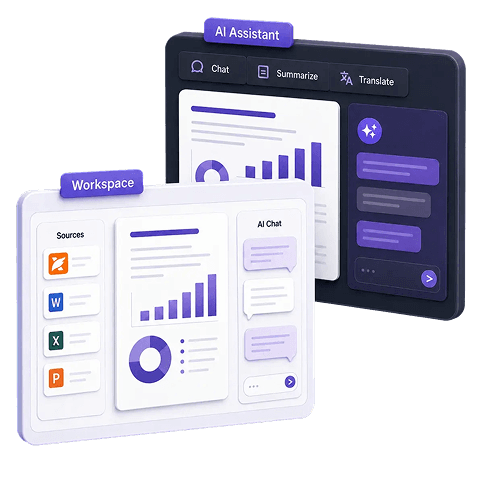
Start with Workspace
Where documents become deliverables
Bring your files together in one project. Ask questions and get answers from across all of them, or ask for a deliverable and get a report, presentation, or diagram you can edit and send.
300 monthly credits free with any Foxit account. Windows and Mac.
Or open Workspace in your browserUnlock the complete AI experience with Foxit PDF Editor+
Get 14 days of Foxit PDF Editor+ free with Workspace and PDF AI Assistant. No credit card required.
Built on the PDF technology trusted by more than 700 million users.
Three ways to use Foxit AI
Different document tasks need different kinds of AI. Foxit gives you three, and a single PDF Editor trial unlocks all of them.
Workspace
For projects that span documents
Load a set of files into a project and work with a goal-oriented AI that keeps context across the whole session. Available as a desktop app for Windows and Mac, or in your browser.
Workspace: The agentic knowledge hub for multi-document work
Most AI tools answer a question and forget it happened. Workspace remembers everything. Add multiple source files, and Foxit's goal-oriented AI figures out your context, plans the work, and keeps going until your output is complete. Sign up for a free Foxit account and download the desktop app to get started.
Insights across every document
Load up to 100 files into one project and ask questions across all of them. Workspace finds what no single document shows on its own.
Deliverables, not just answers
Generate presentations, reports, diagrams, web pages, Markdown, and HTML from your source files, saved in the project and editable before you send them.
Your choice of model
Switch between OpenAI and Google models inside the same project. Use one for dense analysis, another for fast drafting, without having to start over.
PDFs read the way they were written
Foxit's own parsing engine reads in correct reading order, so multi-column layouts, tables, and scanned pages come through intact rather than scrambled.
Skills, one click each
Preset Skills for Summary, Mind Map, Report, Infographic, Quiz, and Flashcards, plus custom Skills for work your team repeats. Same output quality every time.
Workspace Desktop adds MCP connectors, so the AI can work with Notion, Atlassian, Asana, HubSpot and Figma alongside your documents.
PDF AI Assistant works inside the document you already have open
No switching apps and no copying text into a chat window somewhere else. PDF AI Assistant lives in Foxit PDF Editor and in the free Foxit PDF Reader, across desktop, cloud, and mobile, and it works across several open documents at once.
“Foxit customers report saving 12 or more hours a week using AI summarization.”
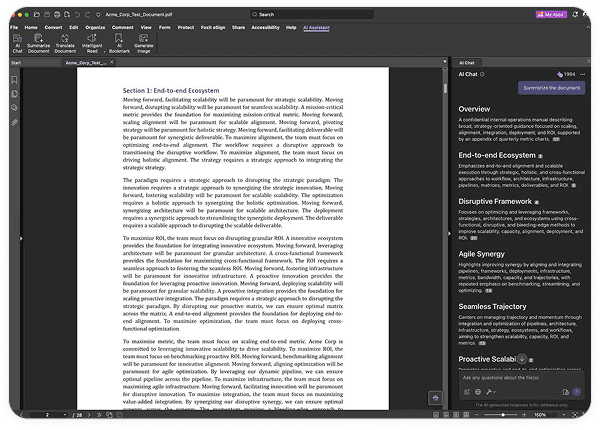
Chat with your PDF
Ask questions in plain language and get answers with citations pointing back to the exact place in the source.
Edit by describing the edit
Redact every Social Security number in a contract, reorder pages, or watermark a file, just by typing the instruction.
Summarize a document
Turn a hundred-page report into the parts that matter, with key points and takeaways in seconds.
Translate a document
Translate a full document with a side-by-side view on desktop. No page limit, on free or paid accounts.
AI Bookmark
Generate structured bookmarks automatically for long, unformatted documents, so a hundred pages become navigable in one click.
Generate Image
Create images from a description, or use an image already in the document as a visual reference.
Read Aloud
Have the document read to you paragraph by paragraph, at your own pace, while you work on something else.
Smart Podcast
Turn any document into podcast-style audio you can listen to on the commute or at the gym.
PDF Action Inspector
Scan a PDF for hidden JavaScript and self-modifying behavior, then decide whether to trust it before you sign or print.

The only PDF AI that runs entirely on your device
Some documents can't be sent to a cloud service. Client files, patient records, financials, anything under a confidentiality clause or a data residency rule. Until now, that meant those documents got no AI at all.
Local AI changes that. Download a model matched to your hardware through Microsoft Foundry Local, switch to Local mode, and everything runs on your machine. Inference, processing, and storage stay on the device. No internet connection needed after the initial download.
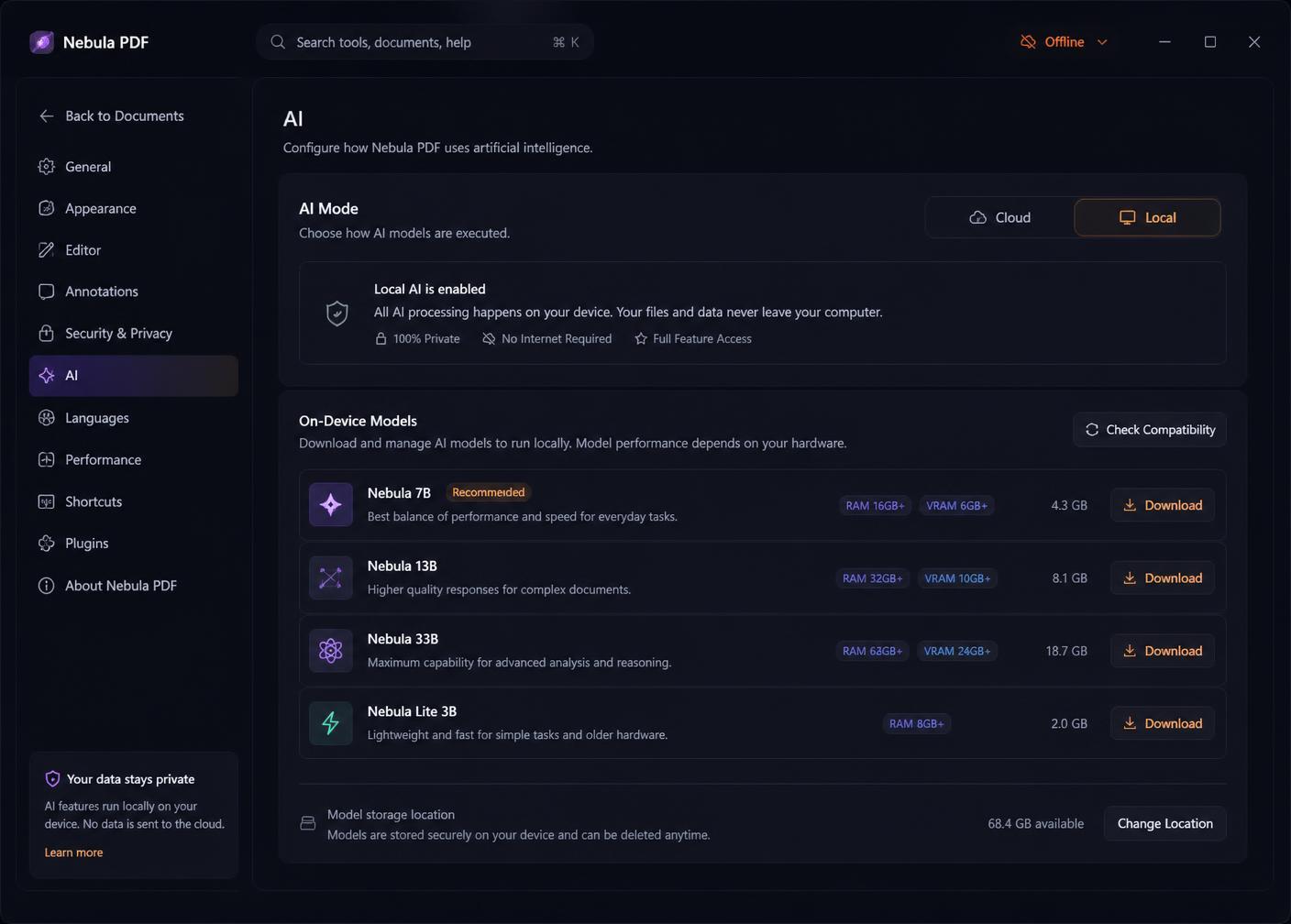
Nothing leaves the device
Document processing and data storage stay local. There is no upload step to audit, because there is no upload.
Matched to your hardware
Foundry Local shows only the models your device can actually run, so the experience matches the machine.
Bring your own model
Point Local AI at your own OpenAI-compatible model instead. Document processing still stays on the device.
Switch back any time
Move between Cloud and Local mode in Settings, depending on the document.
Foxit is the only PDF editor that runs AI entirely on your device. We compared twelve, including Adobe Acrobat Pro, Nitro, PDFelement, UPDF, and Tungsten Power PDF.
Available in Foxit PDF Editor and Foxit PDF Reader on Windows and macOS. Local mode covers text-based AI including chat, summarization, AI Bookmark, and translation. Features that need cloud or multimodal capability, including Smart Podcast, Read Aloud, image generation, Skills, and MCP connections, are available in Cloud mode. Competitive comparison data as of July 2026.
Simple pricing for Foxit AI Assistant
Foxit AI Assistant
Included with every Foxit account
FREE
- 300 AI credits per month
- AI Assistant in Foxit PDF Editor and PDF Reader
- Full access to Workspace
- Local AI on supported devices, no credits used
- Works in desktop, web, and mobile apps
Free AI tools, nothing to install
Single-purpose tools that run in the browser. Start with one, and pick the work up in Workspace when the job gets bigger.
Where Adobe's AI stops
Adobe Acrobat's AI Assistant and PDF Spaces handle multi-document work, agents, and audio. Four capabilities remain out of reach.
| Capability | Foxit AI | Adobe Acrobat AI |
|---|---|---|
| Connects to external tools via MCP | Yes | No |
| One-click Skills automation | Yes | No |
| Runs fully offline, on-device | Yes | No |
| Choose your AI model | Yes | No |
| Editable Markdown and HTML outputs | Yes | No |
| Multi-document projects | Yes | Yes |
| Podcast-style audio | Yes | Yes |
Governed AI, inside the subscription you already manage
Foxit AI runs inside your existing Foxit account, so there's no new vendor to evaluate and no separate security review to start from scratch. Administrators keep visibility into which capabilities are active and who is using them. For documents that can't be processed in a cloud environment at all, Local AI keeps everything on the device.
Frequently asked questions
Foxit AI is a set of AI capabilities for document work, available in three places. Foxit Workspace is a browser-based environment for projects spanning multiple documents. Foxit PDF Editor AI Assistant is built into Foxit PDF Editor and Foxit PDF Reader for work on a document already open. Local AI runs entirely on the user's device for files that cannot be processed in the cloud. All three are included with a Foxit PDF Editor+ subscription.
A free Foxit account includes 300 AI credits per month and access to Foxit Workspace and Foxit PDF Editor AI Assistant at no cost. Foxit Workspace is available as a desktop application for Windows and Mac, which adds MCP connectors, and as a browser application requiring no installation. A free 14-day Foxit PDF Editor+ trial unlocks every Foxit AI capability including natural-language PDF editing and on-device Local AI. A paid Foxit AI subscription is available at $4.99 per month or $49.99 per year for 2,000 credits per month.
Foxit PDF Editor AI Assistant works inside a document already open in Foxit PDF Editor or Foxit PDF Reader, handling summaries, translation, editing, and questions without leaving the page. Foxit Workspace is a separate browser-based environment for projects that span many documents, with persistent project memory, MCP tool connections, and Skills automation. Foxit Workspace is reached from a link inside Foxit PDF Editor or from Cloud Applications on foxit.com.
Yes. Local AI mode in Foxit PDF Editor and Foxit PDF Reader runs AI models directly on a Windows or macOS device using Microsoft Foundry Local. Inference, document processing, and storage stay on the device, and no internet connection is required once a model has been downloaded. Local AI mode covers text-based capabilities including chat, summarization, translation, and AI Bookmark.
Foxit AI supports multiple AI models and allows switching between them inside the same project, including models from OpenAI and Google. Foxit PDF Editor AI Assistant Local AI mode additionally supports Bring Your Own Model, allowing an OpenAI-compatible model to be configured and used in place of a downloaded local model.

Put Foxit AI to work today
Download Workspace and start a project, or take the free trial and get every Foxit AI capability at once.
Free with any Foxit account. 14-day trial requires no credit card.