Reduce Costs and Streamline Processes
Learn how to create government documents for digital certificate signatures and eSignature workflows.

How the Government of Canada Public Servants Standardized on Foxit's PDF Editor - A Step-By-Step Case Study

Shared Services of Canada
Shared Services Canada (SSC) delivers digital services to Government of Canada (GC) organizations. They provide modern, secure and reliable IT services so federal organizations can deliver digital programs and services that meet Canadians needs.
Objectives
- Support Government of Canada’s evolution to a digital, open, and collaborative government.

- Support more than 200,000 federal employees with the tools and technology to work more effectively.
- Provide digital-first, user-centered services and programs while reducing IT costs.
Results
- Foxit beat out competitors with an affordable price for the core and advanced feature profiles based on Productivity, Accessibility, Security, Regulatory Standards, and IT/Admin, and compliance features.
- The highly responsive Foxit team supports SSC and GC users every step of the way from customized training sessions to resolving problems quickly.
- Foxit adapts to the GC’s roadmap product requests, proactively reaching out to GC and implementing requests in a timely manner.
Jason Pantalone, IT Manager, Workplace Technology Devices, Procurement at Shared Services Canada (SSC), gives Foxit high marks for the simplicity of migrating departments to PhantomPDF. "When migration to new software and a new vendor occurs, major things can go wrong, but the GC didn't experience any of that,” he says. “Usually we hear things like, 'well I'm not switching this product because this feature's not working.' But we've heard none of that. It's been one of the smoothest migration projects I've ever been a part of.”

Paperless Government
Make data more accessible by going paperless, saving employees time and money with less space and on-demand access for constituents. With Foxit PDF Compressor image processing optimization, a scanned document can be as searchable as a Word document, while also being smaller in storage size for improved transmission and accessibility. Foxit Rendition Server provides bulk conversions of Tiff and Office docs to PDF and PDF/A, high-quality OCR, file compression and Foxit iFilter provides super-fast indexing of large amounts of PDF content for quick retrieval.
Learn more about Paperless solutions:
Optimizing PDF Documents for File Size
Foxit Rendition Server
Open Government
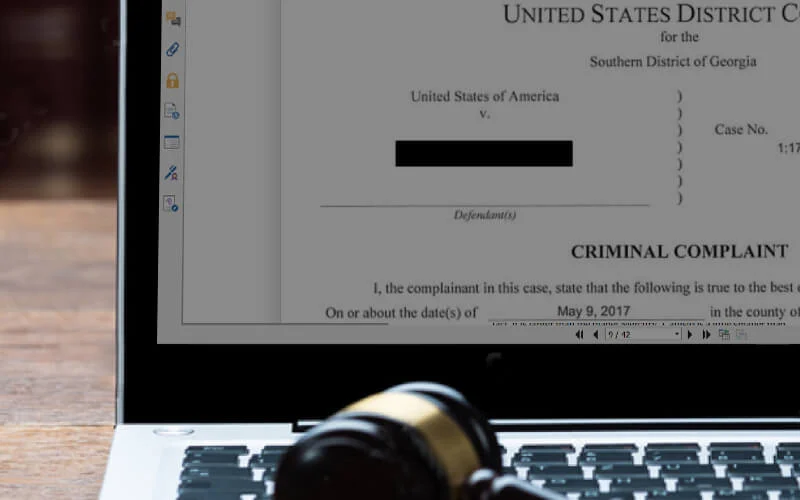
Transparency is a critical part of government ethics, and Congress has determined that the citizens are entitled to government documents unless exemptions or exclusions to disclosures apply. Easy-to-use redaction with Foxit PDF Editor allows you to select and redact any text or image permanently. Auto-search through pattern recognition enables quick and efficient redaction on PDFs, and the Microsoft Office Foxit Plug-in generates redacted PDFs from Office documents. For bulk processing of documents, Foxit Rendition Server redacts hundreds of documents quickly for enterprise-wide business use.
Learn more about Redaction:
How to Properly Redact PDF files
The right way to redact information in your PDF documents
Foxit Rendition Server
Citizen Engagement and Personnel Self-Service
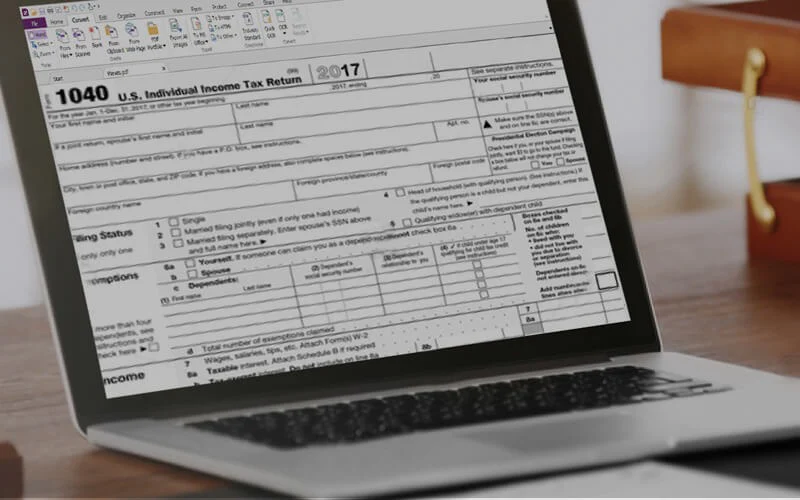
Electronic signatures can be completed in minutes. Agreements signed with Foxit eSign are legally binding and can be signed anytime, anywhere, and from any device making the whole process more convenient. Signers are provided with step-by-step instructions for a seamless signing experience. From the time that they have verified their identity to completed document submission, signers are shown where to sign and what to do with simple on-screen prompts.
Learn more about eSignatures:
Electronic Signatures for Government Contracts
How eSignature Workflow Automation Leaves Paper Trails Behind
Foxit eSign Data Sheet

Real-time, Secure Collaboration
How can government agencies collaborate on cases and initiatives that span beyond boundaries yet ensure confidential information is not leaked to others? Foxit Cloud Documents provides a simple, standardized way to grant/revoke permission to documents anytime, regardless of where the document travels. Share sensitive data with confidence, collaborate in real time, and watch everyone’s changes for greater efficiency.
Learn more about Document Collaboration:
How to Collaborate in the Modern World

Secure and Compliant
Foxit embeds security into every layer of its platform—from secure document storage and encrypted communications to a secure development lifecycle and advanced network protections. Named the #1 PDF Editor for Data Security by TechRadar, Foxit integrates protection across development, product, and network. Foxit safeguards your documents and data with enterprise-grade privacy controls, advanced data protection measures, and ongoing risk assessments. Foxit helps organizations meet global data regulations, including GDPR, HIPAA, and more.
Learn more about Foxit's Product Security:
Foxit Cloud Documents Security White Paper
Foxit eSign Security Overview
Foxit AI Assistant Security Overview

Capture Field Data and Mobile Collaboration
Inspectors, case workers, investigators, and other mobile field workers turn smartphones into mobile scanners. Top-quality images, compressed into high-quality PDF files and optionally fully text-searchable is provided through Foxit PDF Editor Mobile. Our award-winning MRC (Mixed Raster Content) compression technology produces smaller PDF files without compromising file quality. The Foxit Mobile Compression SDK enables app developers to integrate MCR compression into their apps, and Mobile Scanning RDK provides a complete solution for scanning and integration into back-end systems. Mobile real-time collaboration is provided to enable mobile workers to add comments and share feedback instantly, improving efficiency and productivity.
Learn more about Mobile Solution

Accessibility (508)
Section 508 eliminates barriers in information technology, to make available new opportunities for people with disabilities and to encourage development of technologies that will help achieve these goals. Foxit PDF Editor produces PDFs that are 508-compliant for users with visual or hearing impairments, mobility impairments, or other types of disabilities. Foxit PDF Compressor and Rendition Server also support large scale scanning and conversion to industry standard PDF, while automatically making them more accessible.
Learn more about accessibility for Foxit PDF Editor and Foxit PDF Compressor.
Learn More
Webinars
- How to prepare documents for a more efficient government
- WEBINAR REPLAY: Going Paperless: How to Do It and What You Will Gain
- Best Practices on e-Filing Court Appeals
- WEBINAR REPLAY: Tips and Tricks for Government - Advanced PDF Editing Part 2
- Tip and Tricks for Government - Advanced PDF Editing
- WEBINAR REPLAY: Foxit's Unified PDF Platform for Government
- WEBINAR REPLAY: Paper to Digital and PDF/A
- WEBINAR REPLAY: Automating Accessibility in PDFs