 Chat with PDF
 PDF Summarizer
 Document Translator
 Analyze Document
 Extract Information
 Risk Analysis
 Contract Review
 Fraud Detection
Foxit PDF AI Assistant
AI inside every PDF you open.
PDF AI Assistant works in the document already in front of you. Ask questions, summarize, translate, edit by describing the change, or have it read to you, all without leaving the page. Built into Foxit PDF Editor and the free Foxit PDF Reader, on desktop, cloud, and mobile.
Free with any Foxit account. No credit card.
Edit a PDF by describing the change.
Redact every Social Security number in a contract. Add a watermark to all 200 pages. Reorder the sections, then export the whole thing to Word or Excel. Type what you want in plain language instead of hunting through menus for the right command, and watch it happen in the document you already have open.
Available in Foxit PDF Editor on desktop.
Ask your document anything, get a sourced answer.
Ask questions across every document you have open and get answers with citations pointing back to the source. Keep the conversation in the document as you investigate, compare, and decide what to do next.
Extract the figures, dates, and terms you need.
Long documents hide the parts that matter. Point the Assistant at a report, a contract, or a stack of research and it extracts the figures, dates, terms, and patterns you actually need, then hands them back in a form you can use somewhere else.
Explore the AI Assistant Panel
Summarize a document
Turn a hundred-page report into key points and takeaways in seconds, without scrolling through the whole thing.
Translate a document
Translate a full document across a wide range of languages, with a side-by-side view on desktop. No page limit on any account, free or paid.
AI Bookmark
Generate structured bookmarks automatically for long, unformatted documents, so hundreds of pages become navigable in one click.
Generate Image
Create images from a description inside chat, or select an image in your document and it carries over as a reference for the new one.
Skills
One-click actions inside chat, including Summary and PDF Action Inspector, so common tasks run without writing a prompt. Create custom Skills for repeatable workflows.
Chat with images
Ask about a chart, diagram, or scanned page inside the document and get an answer about what it actually shows.
Formula conversion
Convert equations in the document to MathML or LaTeX, so formulas move into your own work without retyping.
Documents you can listen to
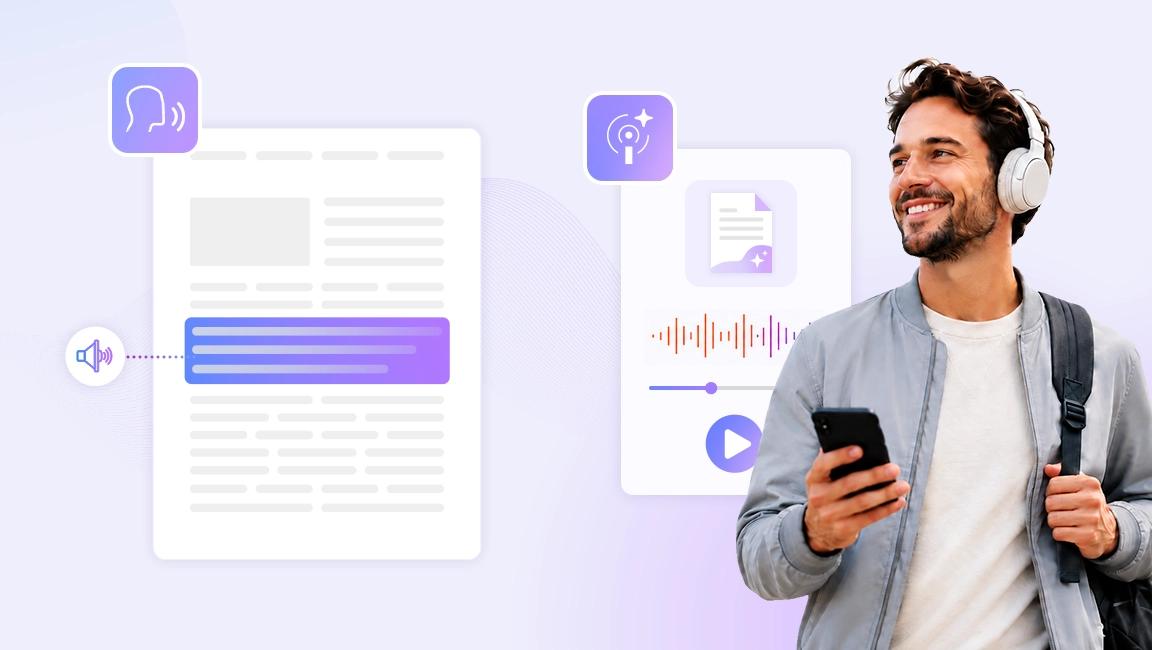
Two ways to listen, depending on what you need. Read Aloud reads the document to you paragraph by paragraph while you follow along. Smart Podcast turns a document into podcast-style audio you can take on the commute or to the gym.
Understand, edit, and generate across the Foxit ecosystem
PDF AI Assistant runs in Foxit PDF Editor and in the free Foxit PDF Reader. Most capabilities work in both. The ones that change the document itself need Foxit PDF Editor.
Mobile translation returns a completed result rather than the side-by-side desktop view.

For the documents you can't take chances with
Two capabilities for the same underlying problem. One for documents that can't leave your machine, one for documents you didn't create.
Local AI
Keep the document on your machine
Some files can't go to a cloud service at all. Switch PDF AI Assistant into Local mode and it runs on your own hardware through Microsoft Foundry Local. Inference, processing, and storage stay on the device, and it works with no internet connection. Free, and it uses no credits.
Explore Local AIPDF Action Inspector
Know what's in the file before you trust it
Most people treat a PDF as a static document. It isn't. A PDF can carry JavaScript that alters content without your knowledge, hide data that survives redaction, or print something different from what's on your screen. PDF Action Inspector scans for those behaviors and shows you what a document actually contains, so you can decide whether to trust it before you sign, fill, redact, or print.
Built for workflows where PDFs arrive from outside. Contracts, forms, approvals, and regulated records.
Foxit PDF Editor on desktop. Run it from Skills in AI Assistant, or when a document containing JavaScript is opened.
Why built-in beats another browser tab
Foxit commissioned independent research with 1,000 end users and 400 senior executives across the US and UK. Three findings shaped how PDF AI Assistant works.
Running AI beside your documents costs more than it saves
Most people still work with AI in one window and the document in another. Copying text back and forth, switching context, and reconciling output that doesn't match the source all add friction. The research points to AI embedded directly in the document workflow as what comes next.
In PDF AI Assistant: the AI is in the document. There is nothing to copy and nowhere to switch to.
Checking the AI is the hidden second job
Executives spend 52 minutes a day validating AI output. End users spend 46. Asked what would make AI more valuable, they named reliably accurate output and less time spent validating it above every new feature.
In PDF AI Assistant: every answer carries a citation pointing back to the exact place in your document, so verifying takes a click instead of a reread.
Privacy and trust block adoption more than cost or complexity
Data privacy and security concerns rank as the number one blocker to using more AI, ahead of trust in outputs, skills, integration, and cost.
In PDF AI Assistant: Local AI keeps the document on your device, and PDF Action Inspector shows you what a file contains before you act on it.
Independent research conducted by Sapio Research for Foxit, October 2025.
See it work
Foxit PDF AI Assistant in 90 Seconds
The short version. Every capability, demonstrated, in a minute and a half.
Watch the videoFull Foxit PDF Editor demo
The complete product walkthrough, with PDF AI Assistant shown in context.
Watch the demoAll Foxit AI tutorials
Step-by-step guides for every AI capability, updated as new ones ship.
Browse tutorialsSimple pricing for Foxit AI Assistant
Foxit AI Assistant
Included with every Foxit account
FREE
- 300 AI credits per month
- AI Assistant in Foxit PDF Editor and PDF Reader
- Full access to Workspace
- Local AI on supported devices, no credits used
- Works in desktop, web, and mobile apps
Frequently asked questions
Foxit PDF AI Assistant is an AI capability built into Foxit PDF Editor and Foxit PDF Reader that works inside the document currently open. It handles questions with citations, summaries, full-document translation, automatic bookmarks, image generation, audio reading, and built-in or custom Skills. In Foxit PDF Editor on desktop, it also performs document edits described in plain language.
Yes. Foxit PDF AI Assistant is available in the free Foxit PDF Reader with any Foxit account, including 300 AI credits per month at no cost. Capabilities that read, summarize, translate, and answer questions work in Foxit PDF Reader. Capabilities that modify the document, including editing by chat, require Foxit PDF Editor.
Yes. In Foxit PDF Editor on desktop, Foxit PDF AI Assistant performs document edits described in plain language, including redacting sensitive data, reordering pages, applying watermarks, adding page numbers, converting file formats, and protecting files. Typing the instruction replaces locating the corresponding command in the interface.
Yes. Foxit PDF AI Assistant translates documents of any length on both free and paid accounts. Credit consumption scales with document length rather than charging a flat rate per request, and the previous three-page limit for free accounts has been removed. Full-document translation includes a side-by-side view on desktop.
Yes. Read Aloud in Foxit PDF AI Assistant reads the document to you paragraph by paragraph while you follow along. Smart Podcast converts a document into podcast-style audio for listening away from the screen. Both are available in Foxit PDF Editor and Foxit PDF Reader in Cloud mode.
Try it in your own documents
PDF AI Assistant is included with any Foxit account. Start a free trial for the full capability set, or download Foxit PDF Reader and try it now.