
PDF Converter Online Tools
Convert Files to and From PDFs Online for Free


Convert PDF for Free on Your Desktop for 14 Days.
High-Quality Converter + MORE


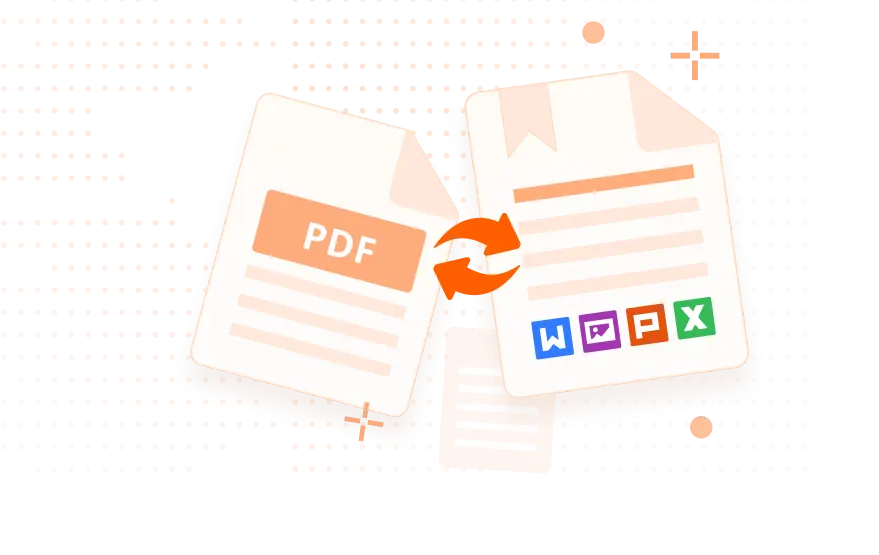
How to Convert Files to and From PDF for Free
1
Click on the tool you want to use and go to the corresponding tool page.
2
Choose file: upload files to our PDF converter online tools from your computer, or simply drag and drop files into the PDF converter box. You can even upload files from a cloud storage service like Google Drive to our online PDF converter.
3
Free PDF conversion from Word, Excel, JPG and HTML files, or convert from PDF. Use our PDF converter online tools to convert files automatically into PDFs. When you upload a PDF file, select the file type you want to convert to and leave the rest to our free converter tool.
4
When your PDF convert files are ready, you can have the file sent to your email, or download the PDF file to your computer and use your browser to view the file.
Top Use Cases for our PDF Converter
Keeping sensitive information safe is paramount for any business. Foxit's PDF converter plays a crucial role in this by enabling you to transform documents into the secure PDF format. Once you convert to a PDF, you can easily:
- Password protect your files: Restrict access to sensitive information by setting strong passwords that only authorized individuals can access.
- Restrict editing and printing: Control how your documents can be used by limiting editing and printing permissions. This ensures that confidential information remains within the intended channels.
- Add digital signatures: Verify the authenticity and integrity of your documents with digital signatures. This provides an extra layer of security and helps prevent unauthorized modifications.
By leveraging the security features of the PDF format through Foxit's PDF converter, you can safeguard your valuable information and maintain compliance with industry regulations.
First impressions matter. When presenting proposals, contracts, or reports to clients or executives, you want to make a strong and professional impression. Converting your documents to PDF using Foxit's free PDF converter can significantly enhance their presentation and readability.
- Maintain consistent formatting: PDFs preserve the original formatting of your documents, ensuring they look the same on any device, regardless of the viewer's operating system or software.
- Create high-quality, shareable files: PDFs are easily shared via email, cloud platforms, or other channels without the risk of formatting issues.
- Improve accessibility: PDFs are easily accessible across a wide range of devices, including desktops, laptops, tablets, and smartphones.
By using Foxit's PDF converter to create professional-looking PDFs, you can leave a lasting positive impression on your clients and stakeholders.
Streamline your workflows by integrating Foxit's PDF converter into your existing business software. Foxit offers integrations with popular platforms like Microsoft Office, Google Workspace, and Salesforce, allowing you to:
- Automate conversions: Automatically convert documents to PDF within your existing workflows, saving you time and effort.
- Improve document management: Easily store, share, and retrieve PDF documents within your preferred document management system.
- Enhance collaboration: Simplify document sharing and collaboration with colleagues and clients by easily converting files to the universal PDF format.
By integrating Foxit's PDF converter with your existing tech stack, you can significantly improve efficiency and productivity within your organization.
Dealing with scanned documents or complex files can be a real time-waster. Foxit's PDF converter helps you overcome these challenges by enabling you to:
- Convert scanned documents to editable PDFs: Easily transform scanned documents into searchable and editable PDFs using Optical Character Recognition (OCR) technology.
- Make complex files more usable: Convert complex files, such as images or presentations, into easily navigable and searchable PDFs.
- Improve accessibility for everyone: Create PDFs that are accessible to users with disabilities by adding features such as alternative text for images and support for screen readers.
By using Foxit's PDF converter to create accessible and editable PDFs, you can improve efficiency, enhance collaboration, and ensure that your information is easily accessible to everyone.
Frequently Asked Questions on our PDF Converter
Foxit PDF Converter is an online tool that lets you convert files to and from PDFs instantly. Upload a Word, Excel, PowerPoint, image, or PDF file, and Foxit automatically converts it to the format you need while preserving layout and quality. No installation or registration required.
Foxit supports all major document types, including:
- To PDF: Word (DOC/DOCX), Excel (XLS/XLSX), PowerPoint (PPT/PPTX), JPG, PNG, TXT
- From PDF: PDF to Word, Excel, PowerPoint, JPG, PNG
This makes it a flexible all-in-one free PDF converter for personal or business use.
Yes. Your files are processed temporarily and deleted automatically after conversion. Foxit does not store content, train AI models on your files, or share your data. All conversions use encrypted connections to keep your documents private and secure.
Yes. Foxit lets you upload and convert multiple files in a single session. If you need true batch conversion or automation, Foxit PDF Editor’s desktop version provides high-volume batch processing, OCR, and advanced tools.
Absolutely. Foxit keeps your original layout, fonts, tables, charts, and images intact when converting to or from a PDF. Whether you convert a PDF to Word or a Word file to PDF, the structure stays as close to the original as possible.
Yes. Foxit provides free online PDF conversion tools. If you need unlimited conversions, batch features, editing, OCR, or advanced PDF tools, you can upgrade or try the 14-day free trial of Foxit PDF Editor.
There are plenty of reasons to choose Foxit PDF Converter! For one, this free PDF converter is a convenient online tool that works immediately on any device—no software download required! It’s easy to use, supports multiple formats like Word, Excel, and JPG, and even lets you merge or compress PDFs. With strong security measures, such as deleting files after conversion, you can trust our tool with sensitive documents. Plus, Foxit is fast and reliable, retaining original formatting. Try the free trial to experience its user-friendly features and efficiency for both personal and business needs.
Yes. The converter works in any modern browser on Windows, macOS, Linux, ChromeOS, iOS, and Android. No software installation is required.